Business Concept Map
Overview
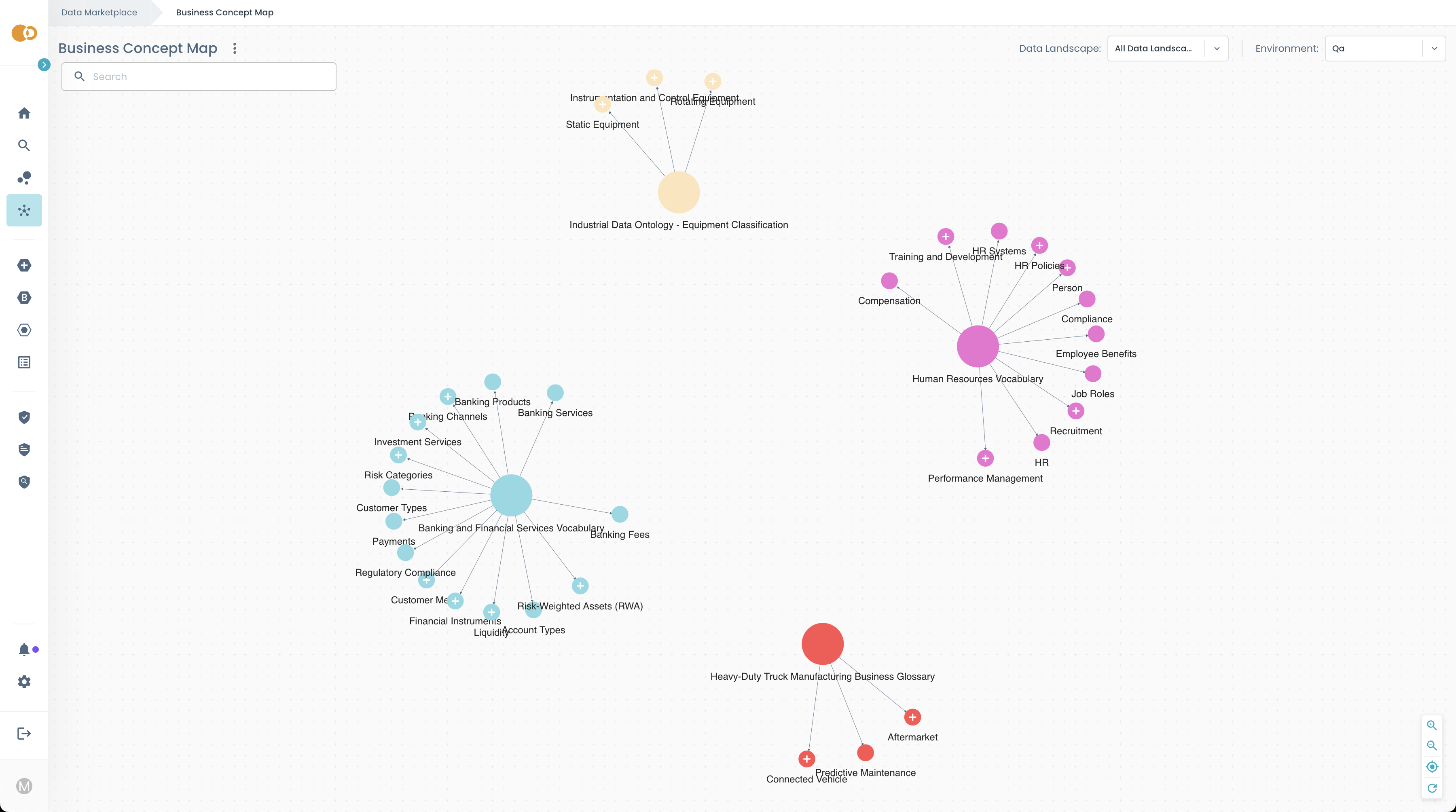
The Business Concept Map provides an intuitive way to explore the business language of your organization and discover the Products that relate to those business terms.
Instead of searching by technical names or system structures, you can navigate through familiar business concepts and see how data aligns with them.
Availability
Whether the Business Concept Map appears in your Marketplace depends on configuration by your organization.
- The feature must be enabled and populated by your platform team.
- The concepts and relationships you see reflect the official business vocabulary your organization has chosen to publish.
What you can explore
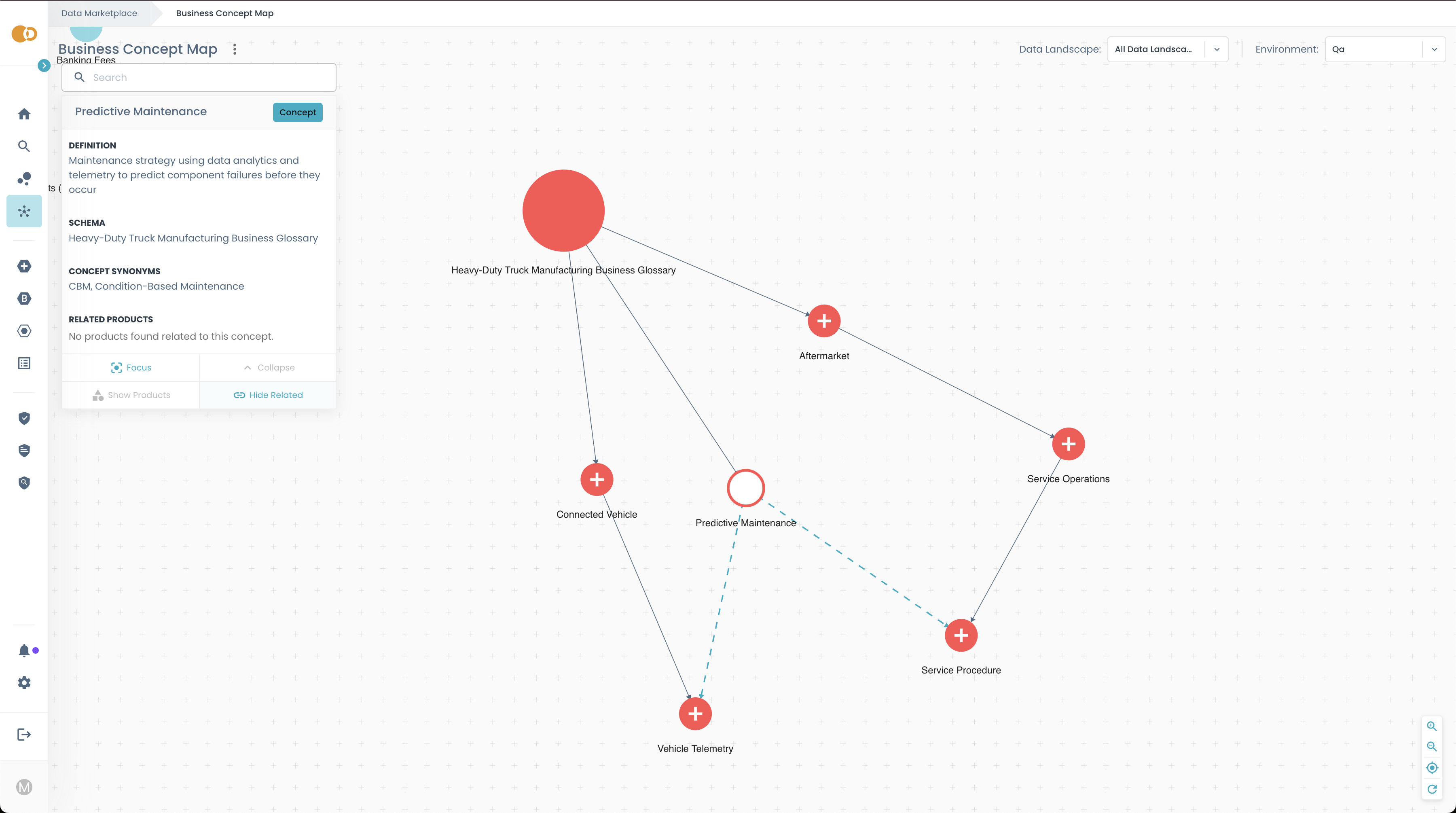
The map presents a visual network of Business Concepts: the terms and ideas your organization uses to describe its operations, processes, products, and metrics.
A Business Concept may represent, for example:
- Employee Benefits
- Predictive Maintenance
- Liquidity
- Recruitment
- Banking Products
Each concept appears as a node in the graph, helping you understand what it means and how it connects to other concepts.
Understand relationships between Concepts
Concepts are connected to show how they relate. These relationships help you understand:
- broader business categories
- sub-topics or specializations
- associated or complementary ideas
For example:
- Performance Management may relate to Employee Performance
- Banking Channels may be connected to Payments
- Predictive Maintenance may link to Connected Vehicle
Navigating these links gives you a holistic view of how business terminology is organized in your organization.
Find Products through Business Meaning
As you explore concepts in the map, you can see which Products are linked to each concept.
This means you can:
- Start from the business idea you care about
- Explore related topics or more detailed concepts
- Quickly identify which Products support that area
For example:
- If you are looking for data related to Compensation, you can expand that concept and see Products connected to it.
- If you are interested in Financial Instruments, you can discover all Products tagged with that concept, without knowing their technical names.
The map is designed to make Products discoverable through business vocabulary.
How to use the Map
With the Business Concept Map, you can:
Browse
Explore the business concepts visually to understand the overall structure and find related topics.
Expand and Collapse
Navigate between high-level categories and detailed concepts.
Search
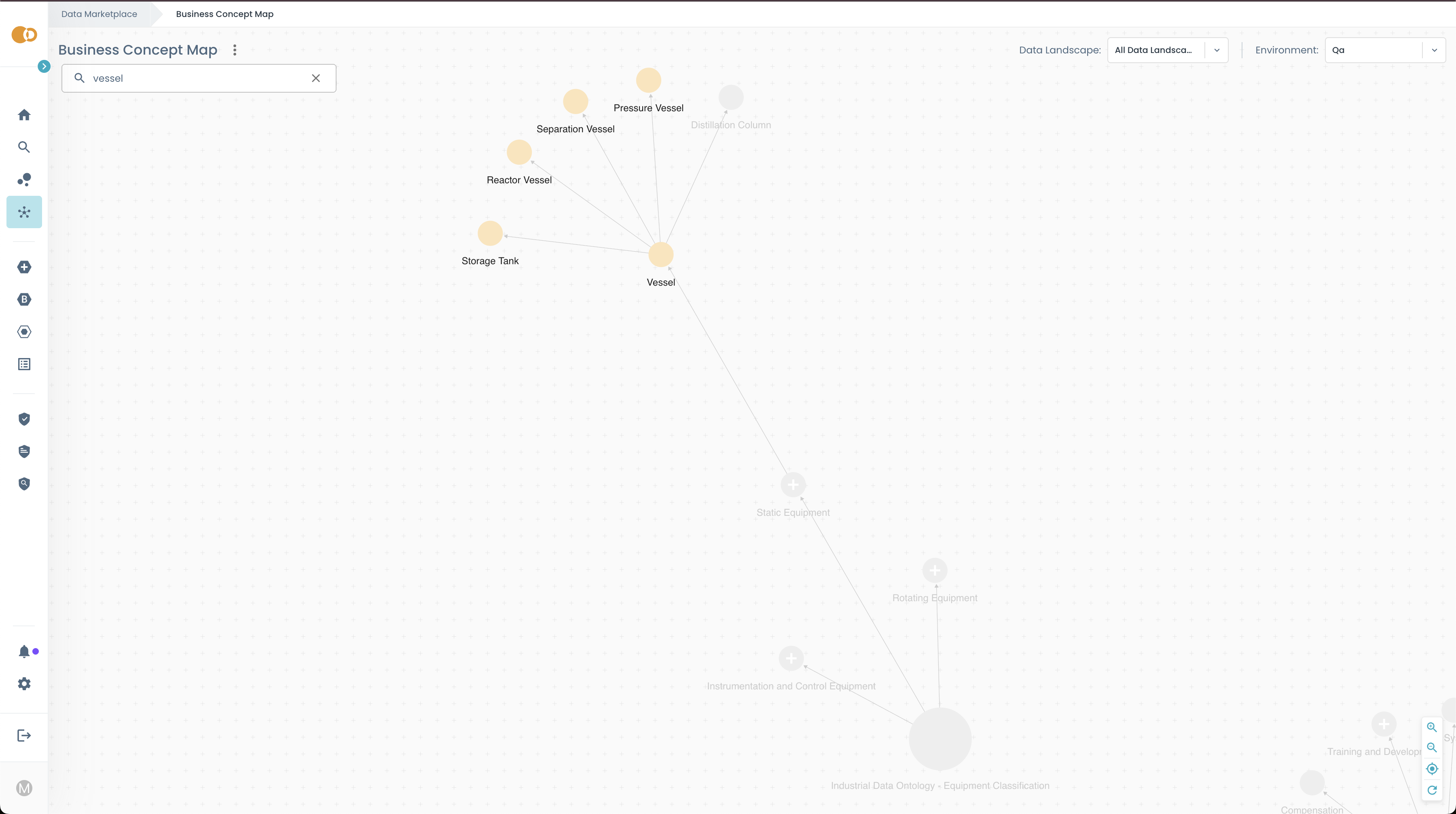
Search using the search bar to quickly find specific concepts.
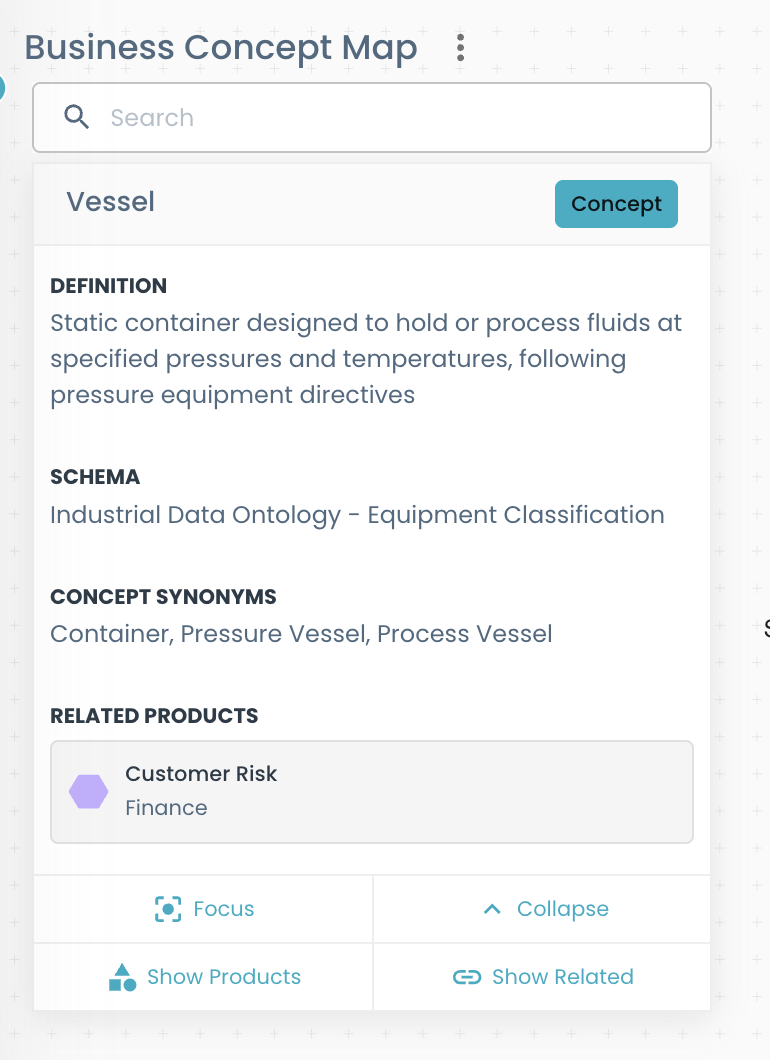
Read definitions
Definitions are explanations of the concept. They provide a clear understanding of what the concept represents.
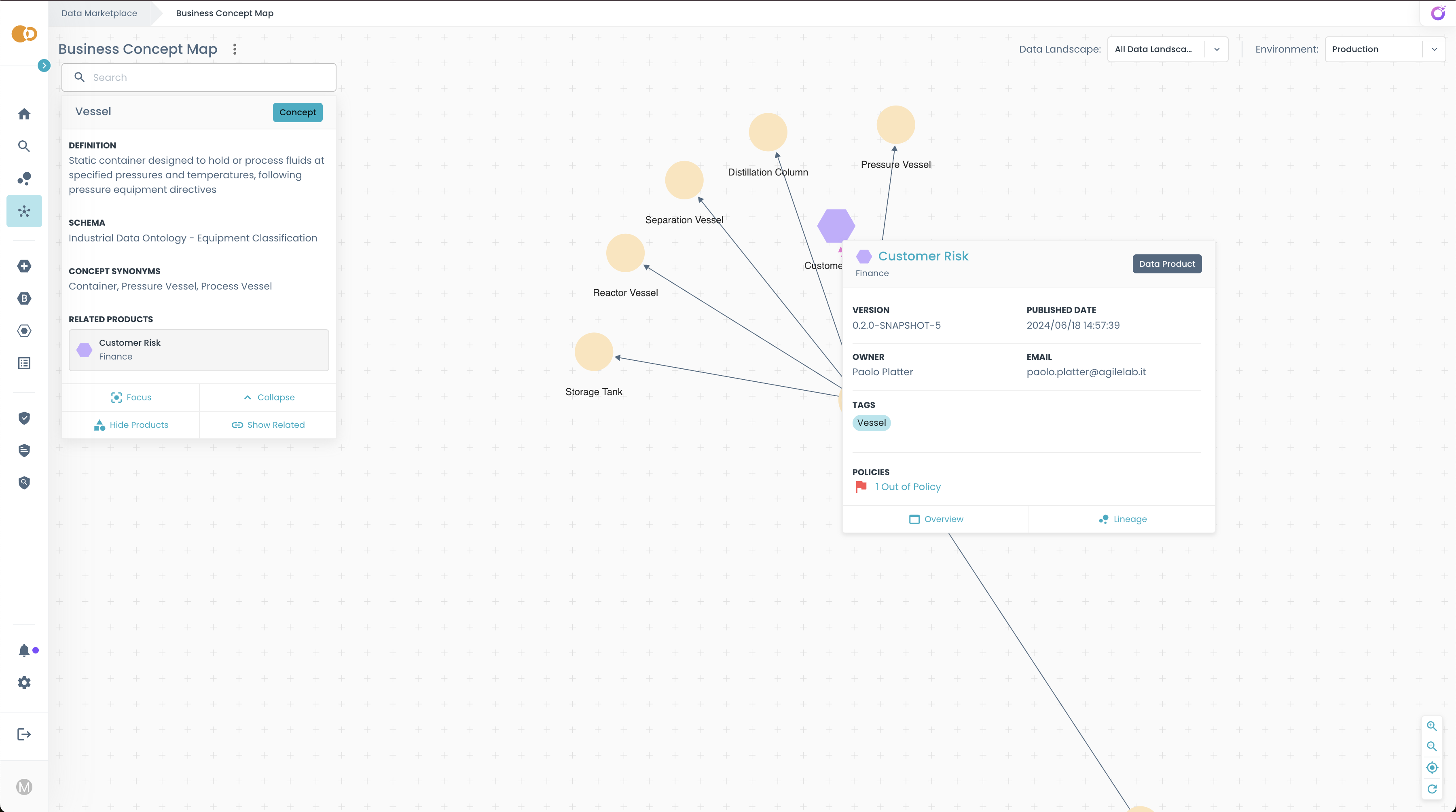
View all Products linked to a concept
Show all Products associated with the selected concept, helping you see the full scope of data available around that business area.
Navigate across related topics
To broaden your understanding of the business landscape, you can navigate across related topics by clicking on Show Related button. This allows you to explore interconnected business areas and discover related concepts.
Related Links
- How to link your Product to the Business Concept Map (for Product Developers)
- How to populate the Business Concept Map (for Platform Teams)